Wiki menu
User Token Guide
Standard Operating Procedure: User Tokens in DMS
10.1.2025
Department:
Production
Purpose:
To establish guidelines for the collection of User API Tokens from the SEC EDGAR Filer Management site and input into DMS.
Definitions:
- DMS: Data Management System
- EDGAR: Electronic Data Gathering, Analysis, and Retrieval system
- SEC: Securities and Exchange Commission
Procedures:
Viewing and changing User Token
Navigate to the SEC EDGAR Filer Management site and log in with your credentials.
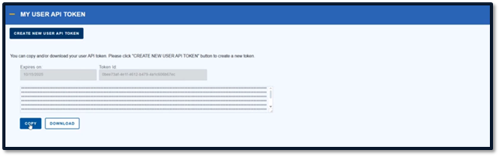
Scroll down to the “My User API Token” section.
From here, view, change, copy, or download the User Token.
Adding a User Token in DMS
Copy the User Token from the Filer Management site.
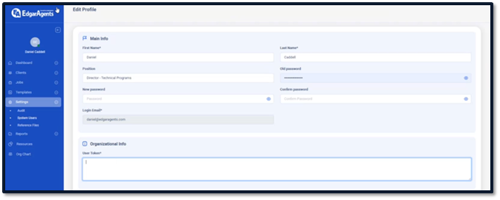
Log into DMS.
Navigate to your profile.
Paste the User Token into the User Token text box.
Click “Save.”